Price history
Recorded standalone sale prices and the latest available store price, in USD. Historical dots use the sale start date and its recorded offer price. Prices can change during a sale; this is not a daily price log. Bundle prices and upcoming offers are excluded. History covers up to the 100 most recent recorded offers.
Lowest recorded standalone price in this history: FREE. The latest store price is FREE, matching the lowest recorded price shown here.
View 2 recorded prices
| Sale start / price check | Price | Observation |
|---|---|---|
| FREE | Latest store price | |
| FREE | Unity First Price 2026-07-16 2026-07-23 |
Sale and bundle history
The 1 most recent recorded offers including this asset. Past offers may no longer be available. Bundle prices cover a package, not this asset alone.
About ASIO Audio Tools
- Tools, Systems & Learning > Development Tools & Automation
ASIO Audio Tools adds a simple recording and WAV editing workflow directly to the Unity Editor on Windows.
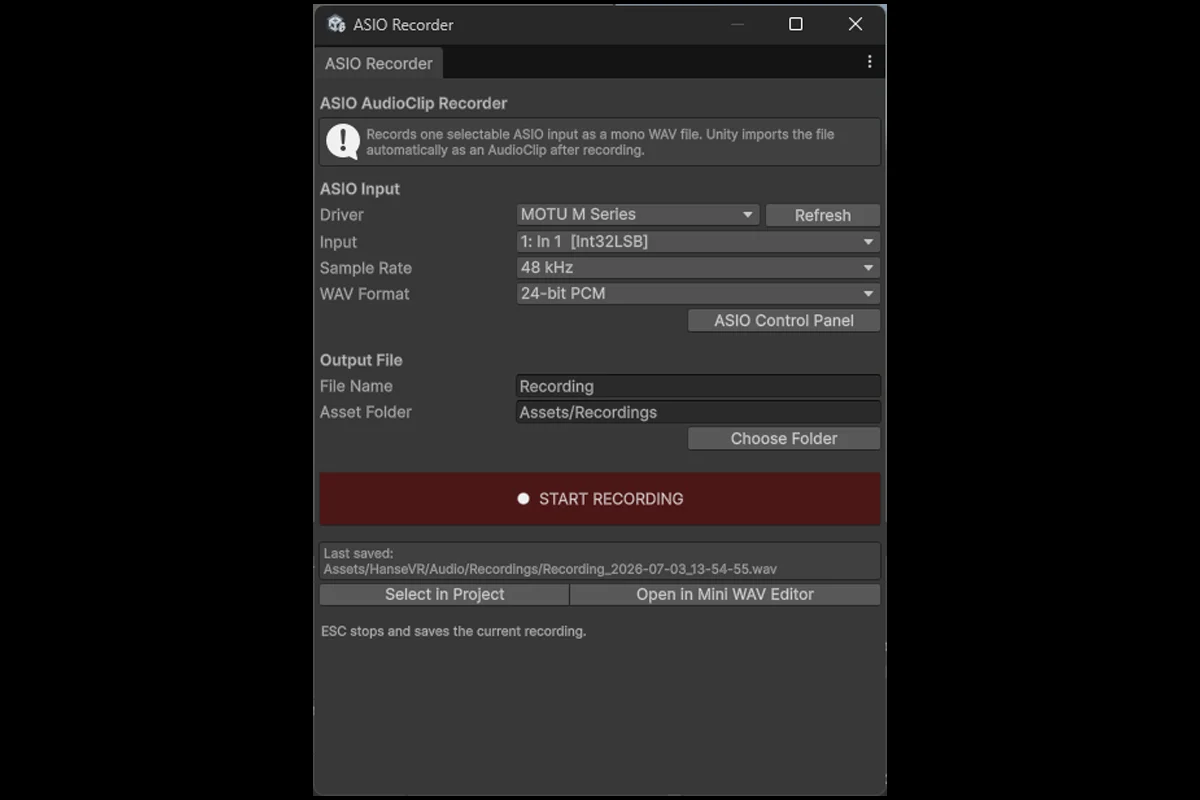
Record a selected input channel from an installed 64-bit ASIO driver and save the result directly as a WAV AudioClip inside your Unity project. After recording, the clip can be opened immediately in the included Mini WAV Editor.
Features
Select an installed 64-bit ASIO driver
Select the physical input channel
Record at 44.1, 48, 88.2, or 96 kHz
Save as 16-bit or 24-bit mono PCM WAV
Live input level meter and recording timer
Stop and save with the button or Escape key
Open recordings directly in the Mini WAV Editor
Select waveform regions by dragging
Double-click the waveform to select or clear the complete clip
Crop to the selected region
Delete selected regions
Apply fade in and fade out
Normalize the complete clip or a selection
Undo and redo edits
Preview through the Windows default playback device
Open WAV AudioClips by double-clicking them in the Project window
Save over the source WAV or create a new file
Requirements
Unity 6.3 or newer
Windows 10 or Windows 11
A compatible installed 64-bit ASIO driver for recording
The Mini WAV Editor can also be used without ASIO hardware. Only the recording tool requires an ASIO driver.
This package is Editor-only and does not add runtime components to player builds.
Record a selected input channel from an installed 64-bit ASIO driver and save the result directly as a WAV AudioClip inside your Unity project. After recording, the clip can be opened immediately in the included Mini WAV Editor.
Features
Select an installed 64-bit ASIO driver
Select the physical input channel
Record at 44.1, 48, 88.2, or 96 kHz
Save as 16-bit or 24-bit mono PCM WAV
Live input level meter and recording timer
Stop and save with the button or Escape key
Open recordings directly in the Mini WAV Editor
Select waveform regions by dragging
Double-click the waveform to select or clear the complete clip
Crop to the selected region
Delete selected regions
Apply fade in and fade out
Normalize the complete clip or a selection
Undo and redo edits
Preview through the Windows default playback device
Open WAV AudioClips by double-clicking them in the Project window
Save over the source WAV or create a new file
Requirements
Unity 6.3 or newer
Windows 10 or Windows 11
A compatible installed 64-bit ASIO driver for recording
The Mini WAV Editor can also be used without ASIO hardware. Only the recording tool requires an ASIO driver.
This package is Editor-only and does not add runtime components to player builds.